Messy data in.
Clean, usable data out.
Clean files, remove duplicate contacts and mask sensitive information—with one API for your apps and AI agents.
- name
- Before: jane DOEAfter: Jane Doe(changed)
- Before: Jane.Doe@Example.comAfter: Jane.Doe@Example.com
- phone
- Before: (555) 123-4567After: +15551234567(changed)
- company
- Before: acme incAfter: acme inc
- note
- Before: —After: —
| name | phone | company | note | |
|---|---|---|---|---|
| jane DOE | Jane.Doe@Example.com | (555) 123-4567 | acme inc | |
| Doe, Jane | jane.doe@example.com | 555.123.4567 | Acme Inc. | |
| BOB smith | bob@@company | +1 555 987 6543 | Globex | |
| maria garcía | maria@example.org | 555-222-0199 | initech | SSN 123-45-6789 |
| name | phone | company | note | |
|---|---|---|---|---|
| Jane Doe | Jane.Doe@Example.com | +15551234567 | acme inc | |
| Jane Doe | jane.doe@example.com | +15551234567 | Acme Inc. | |
| Bob Smith | bob@@company (invalid) | +15559876543 | Globex | |
| Maria García | maria@example.org | +15552220199 | initech | SSN 123-45-6789 |
Illustrative: 4 names fixed · 4 phones standardized · 1 invalid email flagged for review. Press Run demo to process these 4 synthetic records for real. No account, nothing stored.
How it works
- 1
Add data
Records as JSON, a CSV converted to rows, or text.
- 2
Choose what to do
Pick a task or describe your task.
- 3
Get usable results
Cleaned records, flagged problems and a step report.
See the evidence for yourself
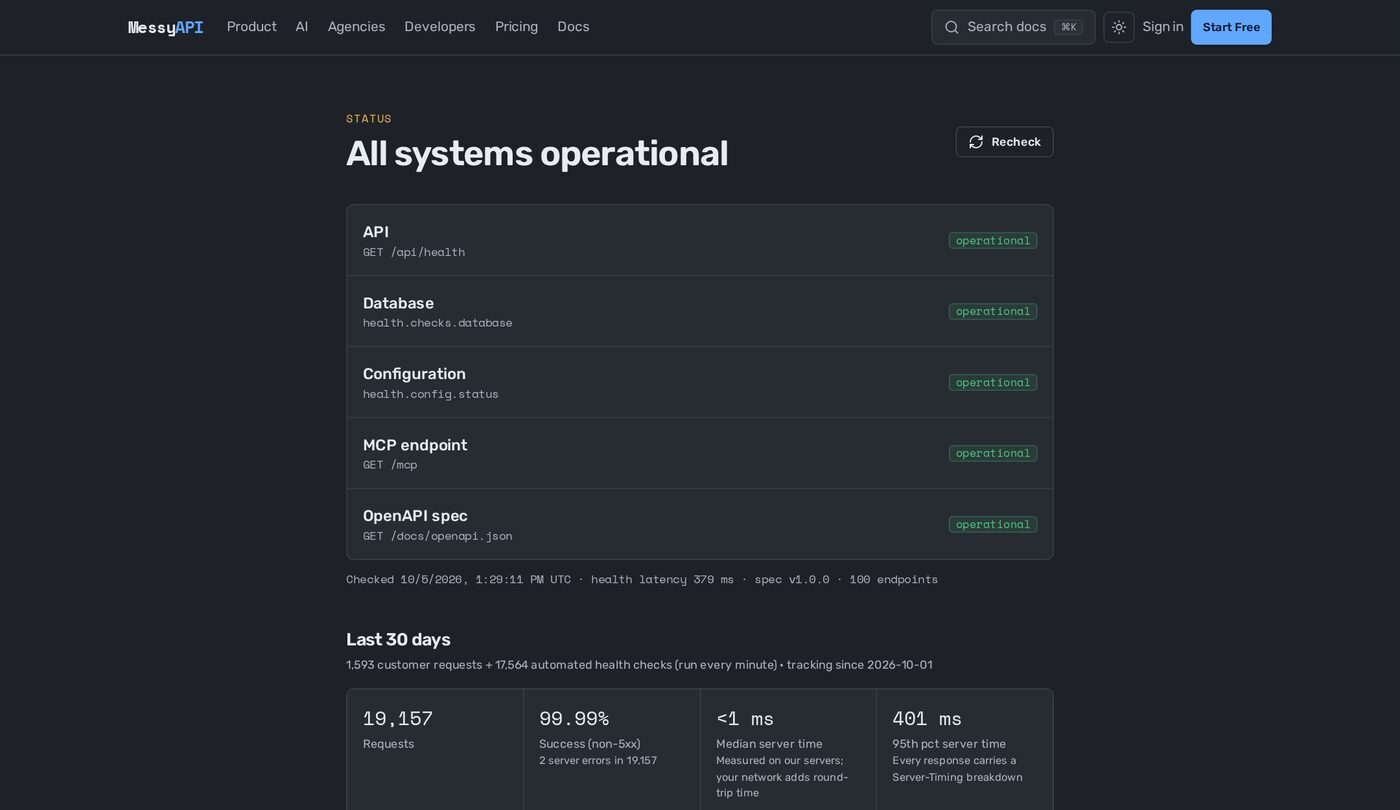
Health checks every minute, 30-day history.Open status →
One API. Everyday data tasks, handled.
See everything MessyAPI can do →Clean
Fix names, phones, addresses and URLs.
injane DOEoutJane DoeValidate
Flag bad emails and invalid formats.
injane@gmailoutinvalid · no domain endingMatch
Group likely duplicates without deleting them.
inDoe, Jane · jane DOEoutsame personTransform
Reshape data into the fields you need.
inraw CSV columnsoutthe fields your CRM expectsProtect
Find and mask sensitive data.
inSSN 123-45-6789outSSN [SSN]Check the run
See record counts, required-field checks and skipped steps.
in4 records inout4 out · 0 steps skipped
Give your AI better data tools.
Connect MessyAPI to your AI app or agent and give it ready-made tools for working with real-world data.
MCP server · REST API · guides for Zapier, n8n and Make
Connect Your AIOne API. Your whole data toolbox.
Add cleaning, validation, matching and data protection to your app without rebuilding each tool.
curl -X POST https://messyapi.com/api/v1/ai/clean \
  -H "Authorization: Bearer $MESSYAPI_KEY" \
  -H "Content-Type: application/json" \
  -d '{
  "goal": "prepare these leads for HubSpot",
  "records": [
    {
"name": "jane DOE",Build once. Use across clients.
Connect MessyAPI once and use it across the apps and AI agents you build for customers.
Build faster. Stop rebuilding common data tools.
Manage clients. Separate keys, usage, permissions and spending.
Grow revenue. Include MessyAPI-powered features in what you sell.
- Northwind Dental6,200 / 10,000 · 62%
- Blue Pine Realty1,400 / 5,000 · 28%
- Oak & Iron Gyms1,820 / 2,000 · 91%
Control how AI uses your data.
MessyAPI limits what each key and agent can do, protects sensitive information, reports what each run did and logs API calls.
Protect
Sensitive values are found and masked.
SSN 123-45-6789 → SSN [SSN]
Control
Per-key permissions and daily limits.
scopes: Clean, Validate · 500 records/day
Verify
See what changed in every run. Review record counts, reported changes and skipped steps.
4 in → 4 out · 0 steps skipped
Audit
Each API call is logged with its endpoint, status and record count.
ai/clean · 200 · 4 records · req_8f2…
Examples use synthetic data.
Stop rebuilding the boring data stuff.
Tell MessyAPI what you need and get back usable data.